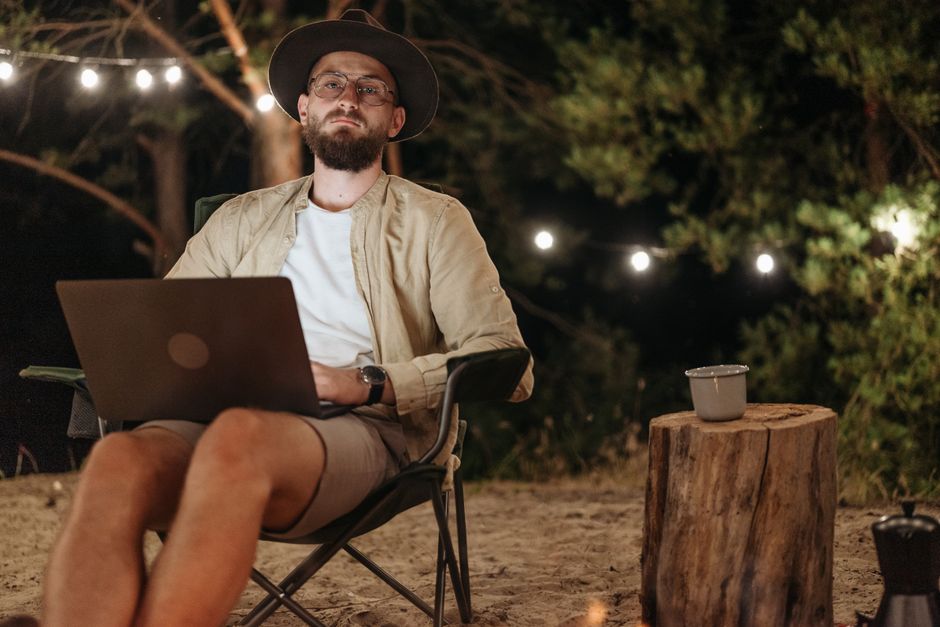
Working from a campsite is doable. But the "free WiFi" advertised at the entrance means nothing: what matters is your upload speed, the stability at 9 pm when everyone is streaming, and your plan B when the hotspot gives out. We give you the method to apply before setting up your laptop far from a city: what to ask before booking, the tests to run in the first ten minutes, and how to organize yourself so your 2 pm video call doesn't turn into a nightmare.
A quick clarification: we won't throw a list of campsites at you
At Deskover, we'd rather give you a method than a list. Campsites are exactly the terrain where copy-pasted venue listings do the most damage: the same network can be spotless in May at 9 am and unusable on August 14 at 6 pm. So no fake ranking here. Instead, you get the framework to judge any campsite yourself, in ten minutes.
What "reliable WiFi" really means
Three numbers are enough to decide whether you can work or not.
- Upload speed. It's what carries your camera and your voice. Below a stable 1.5 Mbps, you'll be doing your video call as audio only. Around 3 Mbps, you can breathe.
- Latency (ping). Under 60 ms, it works. Above 150 ms, you talk over everyone without meaning to and conversations become painful.
- Stability. A speed that yo-yos is worse than a low but constant one. It's what freezes your screen right when you share your presentation.
Download speed, for its part, mostly serves for downloading and seeing the others. It's almost always better than upload, so it's not your main problem.
Before booking: five questions to ask over the phone
Email is useless, call the front desk. You'll immediately know whether you're dealing with someone who knows their network or not.
- "Does the WiFi cover the pitches and mobile homes, or only the reception and the bar?" This is the most telling answer. Many sites only properly cover the central area.
- "Is it included, paid, and limited to how many devices?" A per-device plan blocks you if you juggle between laptop and phone while screen sharing.
- "Are you on fiber or 4G/satellite?" Fiber is a good sign. A 4G relay shared among 300 vacationers, much less so.
- "Is there a room, a space or a covered area where we can work with an outlet?" Some campsites have a workspace, an activity room that's quiet in the morning, or at least a shaded table near reception.
- "Is the 4G signal good on the site?" They know, because their guests complain. This answer tells you how solid your plan B is.
Complete this with online reviews, filtering on the word "WiFi" and checking the dates: an October review tells you nothing about a full site.
The first ten minutes on site: the express test
You drop the bags, do this, and you know where you stand for the week.
- A speed test at three spots: your pitch, the bar terrace, the reception. Note the upload each time.
- A peak-hour test, late afternoon or around 9 pm. That's when the network takes a beating.
- A real two-minute test call with camera on, moving around a bit. A demo video call is worth more than any number.
- The outlet test: how many, where, and can you stay there for two hours without bothering anyone.
- The noise test: the pool, the playground and the lawnmower don't show up on a map. Your noise-canceling headset does the rest.
Your plan B fits in a pocket
The golden rule: never make an important video call depend on the WiFi of a place you don't control.
- Phone tethering, checked the day before, with enough data on the meter. Check your actual consumption: an hour of HD video call eats through your plan fast.
- A 4G/5G router if you work several weeks a year at campsites. It handles a weak signal better than a phone and leaves your battery alone.
- A second SIM card or an eSIM from another carrier. On the coast and in rural areas, coverage varies wildly from one network to another.
- A fallback in town: before you arrive, find a coworking space, a quiet cafe or the media library in the nearest town, with the opening hours. On the Landes coast, around Hossegor for example, serious spots exist but fill up early in August, so arrive before 9:30 am.
The workstation, the campsite's blind spot
The network, you can work around. Comfort, you can't. A plastic camping table vibrates as soon as you type, and at 3 pm under a tent canopy, your laptop heats up and throttles its processor. What changes everything:
- Working early in the morning, between 7 and 11 am: clear network, fresh air, sleeping campsite. The best deep work slot of the day.
- Working in deep shade, not under a simple parasol: an awning, a covered area, the inside of a mobile home with half-closed shutters.
- A lightweight laptop stand and external keyboard, otherwise your neck pays the bill within three days.
- A power bank able to recharge a laptop, if outlets are far away or contested.
Security: campsite WiFi is public WiFi
An open network, a single password posted at reception, hundreds of devices on it: treat it like train station WiFi. Turn on your VPN, check the HTTPS padlock, turn off your system's file sharing, and for anything involving banking or client access, switch to tethering from your phone. It takes ten seconds and spares you a very bad evening.
Who it really works for
Camping is excellent if your day is made of asynchronous tasks: writing, coding, editing, email processing, audio calls. It becomes risky if your calendar chains client video calls with screen sharing, or if you have to send heavy files. In that case, keep the campsite for evenings and days off, and work the critical mornings from a real spot in town.
Your turn
Know a campsite where the WiFi really holds a video call, with outlets and a quiet corner? Send us the exact address and your speed numbers. We'll check it, and if it passes the Deskover framework, it'll get its own page.
Frequently asked questions
What speed do you need for a video call from a campsite?
Count on at least a stable 1.5 Mbps upload for a video call with camera on, and more like 3 Mbps if you share your screen. Watch the ping too: above 150 ms, the conversation becomes choppy even with good speed.
Is campsite WiFi enough for remote work for a whole week?
Rarely on its own. It does the job very well for emails, writing and audio calls, especially in the morning. For important video calls, always plan for 4G/5G tethering or a fallback in a coworking space in town.
How can I tell if a campsite has good WiFi before booking?
Call the front desk and ask whether coverage reaches the pitches, whether the connection comes through fiber, how many devices are allowed per plan, and whether a space with an outlet is accessible. Cross-check with recent online reviews that mention WiFi in peak season.
Is it risky to work on a campsite's shared WiFi?
It's a public network: shared password, lots of unknown devices. Use a VPN, make sure your sites are on HTTPS, turn off file sharing, and use your phone for anything sensitive.
What time of day is the network most reliable?
Between 7 and 11 am, by far. The campsite is still asleep, bandwidth is free and it's cool. The slots to avoid are late afternoon and evening, when everyone connects at the same time.